
Hello!
In this post I’m doing an assignment for my Linux course in my school held by Tero Karvinen using Xubuntu 14.04.3 LTS. I will be using the same installation I used in the previous post on VirtualBox.
To get started, I needed to install munin. It requires Apache to work, which I had already.
Installing Munin
sudo apt-get update
sudo apt-get install munin -y
sudo apt-get install munin-node -y
At this point you should be able to connect to munin via your browser at ‘http://localhost/munin’, but there was my first problem, it threw me a 403 (Forbidden).
This means that Apache is restricting my access, so I needed to alter the settings. Open munin’s own apache configuration:
sudoedit /etc/munin/apache.confI commented out the first three lines here:
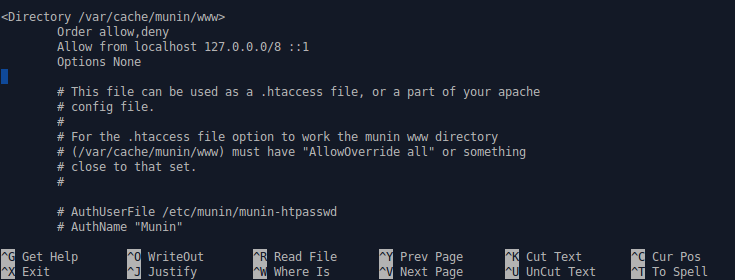
And replaced these lines.
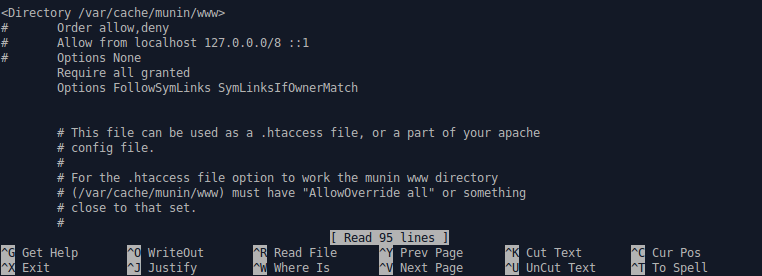
After the edit I of course also needed to restart the services affected by the edits.
sudo service munin restart
sudo service apache2 restart
Now when I opened ‘http://localhost/munin’ it worked!
Installing Stress
To stress the system I’m using a software called stress. Installing it is as straight forward as it gets.
sudo apt-get install stress -y
Stressing and analyzing
To stress the server, the stress command is pretty simple
stress --cpu 8 --io 4 --vm 2 --vm-bytes 512M --timeout 40s
This tells the software to stress the server with 8 workers on the CPU, 4 workers stressing the I/O, 2 workers on memory with 512MB each on the timeout of 40 seconds.
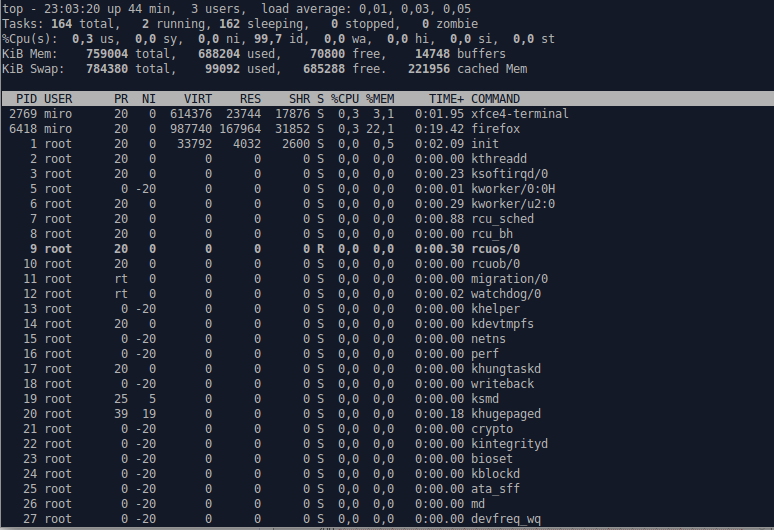
This is what my ‘top’ looks like before the stress:
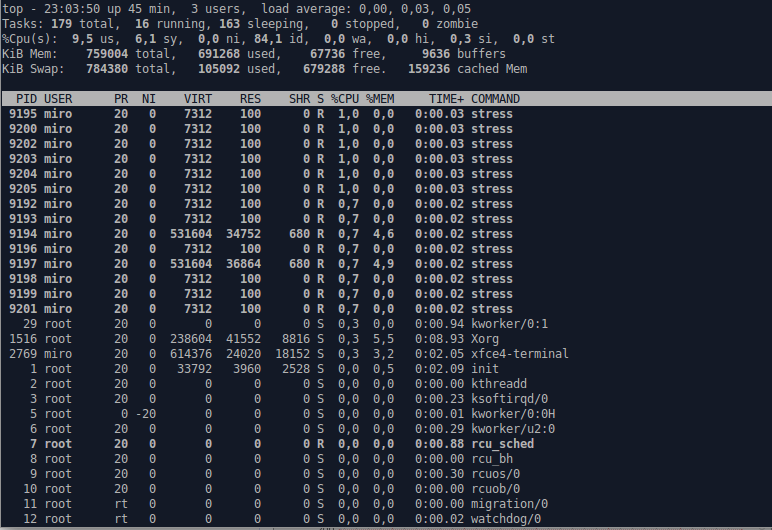
And this is what it looks like after the stress command
And here’s how Munin reacted to the stress (an example for the IO of the main disk).

This will look a lot neater when Munin has got the time to collect resource information for a longer time, but it still shows that the stress levels spiked while stressing.
Analyzing log files
For reading log files, I prefer the ‘cat’ command, because it scrolls to the bottom immediately and prints enough rows. Also it’s pretty catchy to remember!
For the log analyze I decided to check out apt’s log on the part where munin and stress were installed.
cat /var/log/apt/history.log
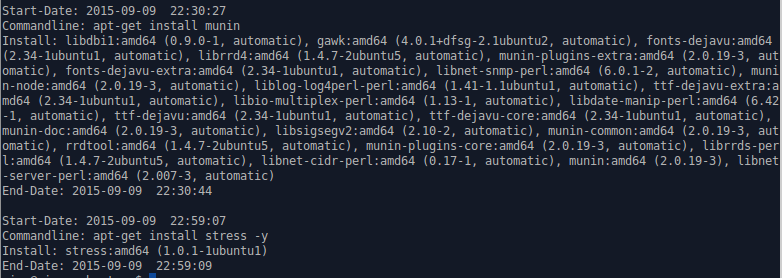
There is a simple pattern to the output, it starts with the exact start date-time, after that it shows the command that was put in by the user. After that comes a long list of stuff it needs to install. Also containing every single dependency. Then finally it ends to the end-date-time which is in the same format as the start date-time.
Sources:
Ubuntu help, StackOverflow and Tero Karvinen